DIGITAL BANKING UI
Designing a Responsive System for Digital Banking
ROLE
UI Designer
PLATFORM
Responsive
YEAR
2026
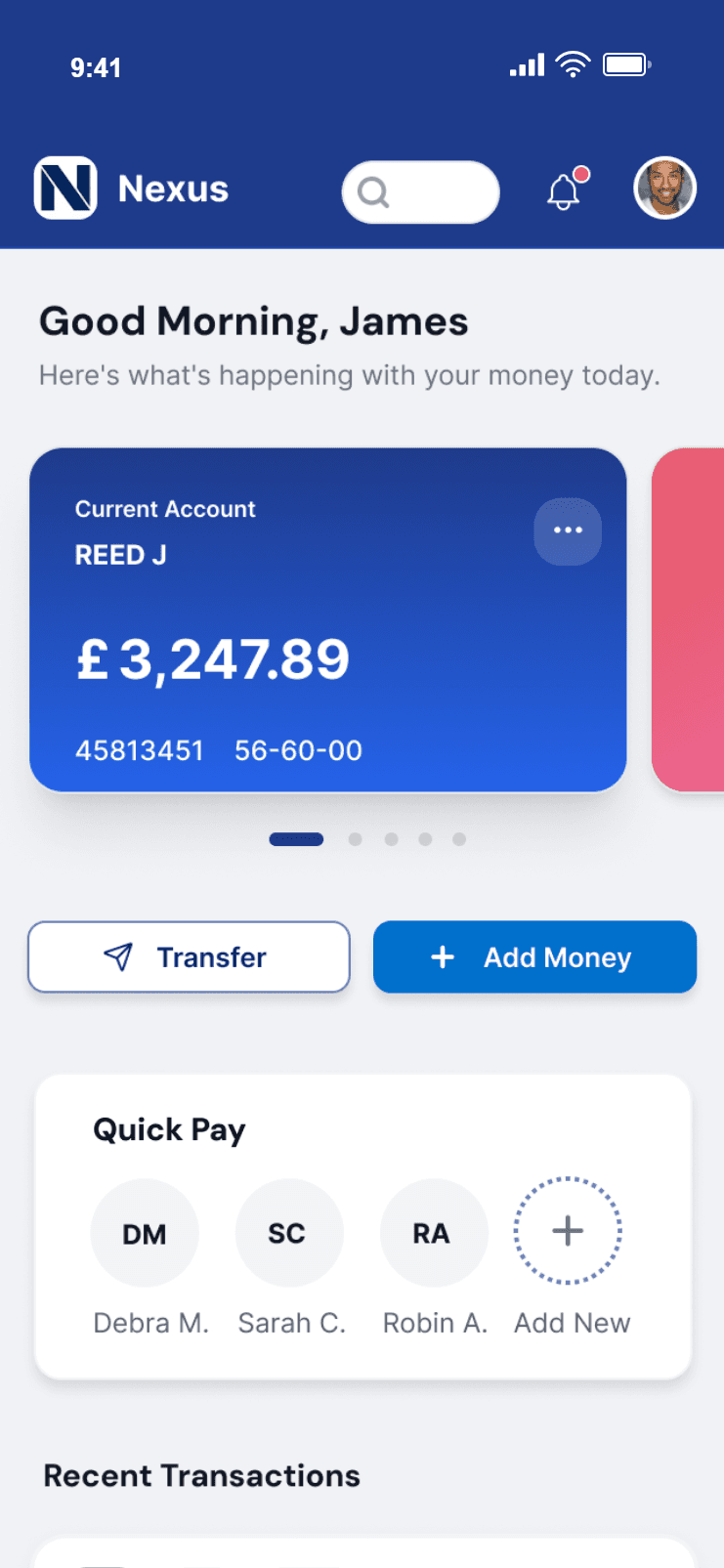

Nexus is a fictional challenger bank created as part of a UI design course assignment.
The project explores how a banking experience can feel clear, approachable, and trustworthy, while working seamlessly across desktop, tablet, and mobile. I chose the name Nexus as it reflects the idea of connection, bringing together accounts, insights, and financial decisions into one clear experience.
The Challenge
The challenge was to design an interface that:
Presents financial information clearly and logically
Introduces personality through colour and shape
Maintains a strong sense of trust and credibility
All designs needed to be responsive and display how the design will respond to the device the user is viewing it from.
Objectives
Create a fictional bank brand (Nexus)
Design a fully responsive UI system
Produce 9 key screens across desktop, tablet and mobile for an Accounts Overview, Current Account and My Spending.
Clear 💎
Information is presented in an uncluttered way, with strong hierarchy and spacing to help users quickly understand balances and actions.
Playful 🪀
Subtle use of colour, rounded components, and friendly data visualisations introduce personality without distracting from usability.
Trustworthy 🔒
Consistent layouts, familiar banking patterns, and restrained visual design help users feel confident managing their finances.
Information Hierarchy
Each screen was designed around a core user need:
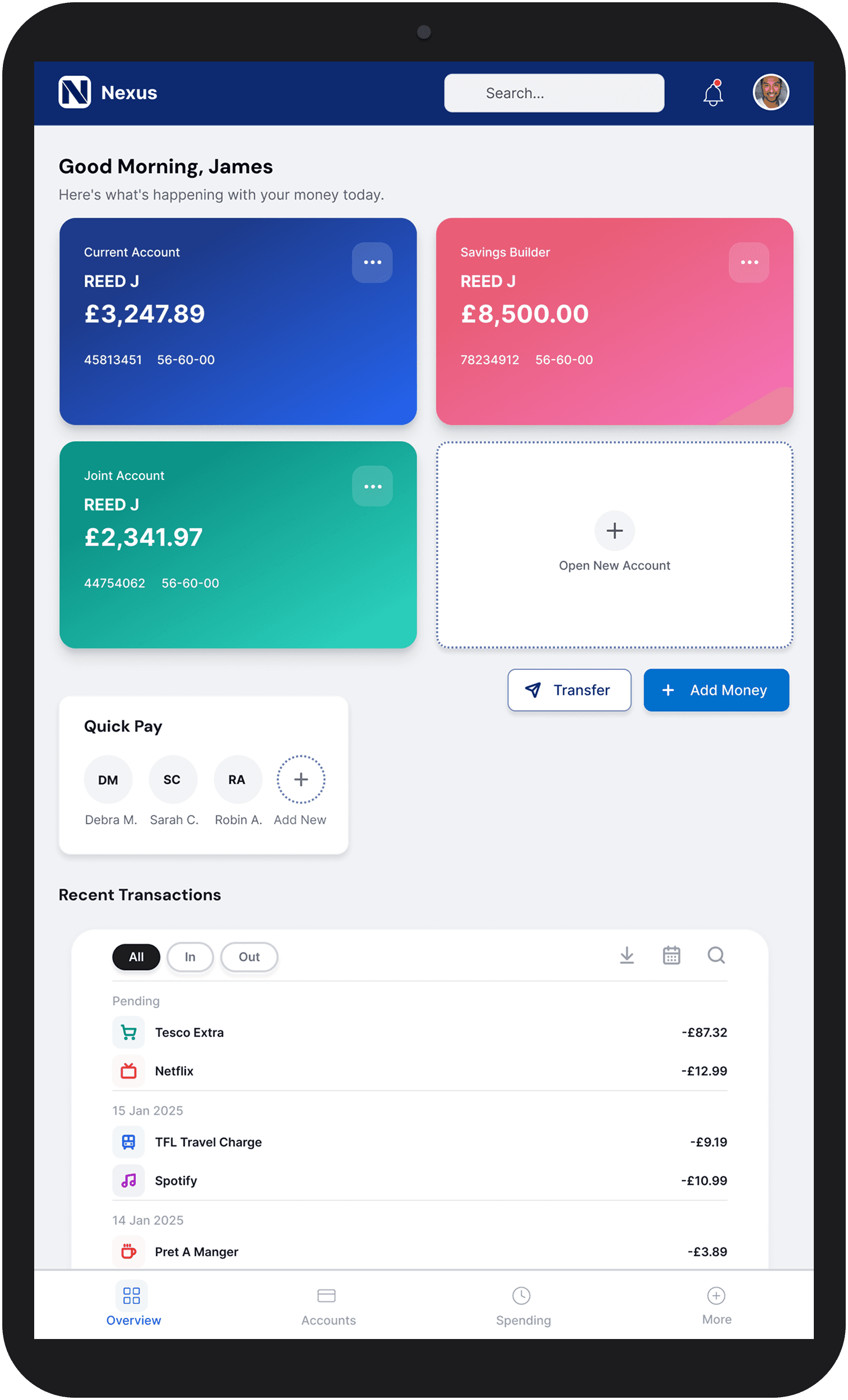
Accounts Overview
“What’s my financial situation right now?”
Current Account
“Where is my money going?”
My Spending
“How am I managing my finances over time?”
Responsive Design
Layouts were adapted intentionally for each device size:
Desktop
Multi-column layouts and higher data density
Tablet
Simplified structures with balanced spacing
Mobile
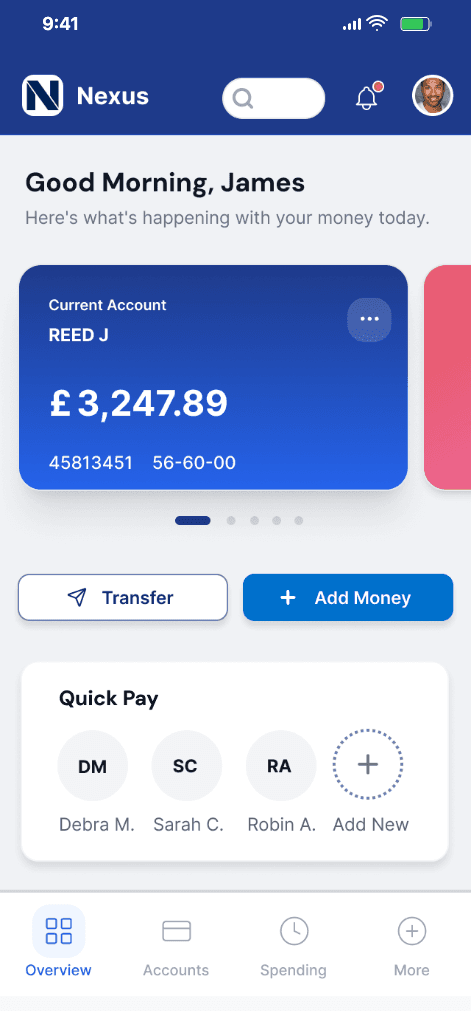
Single-column layouts prioritising key content and touch targets


Current Account
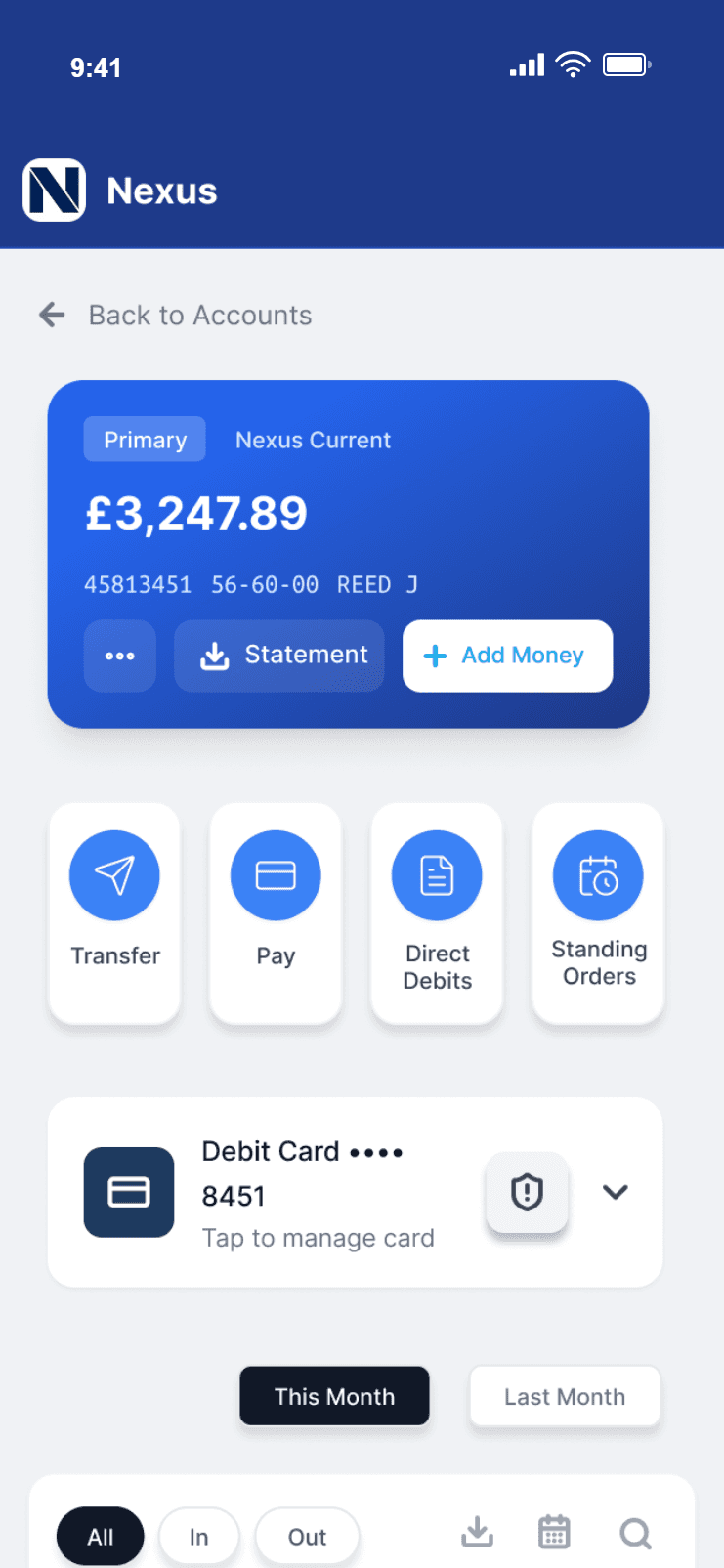
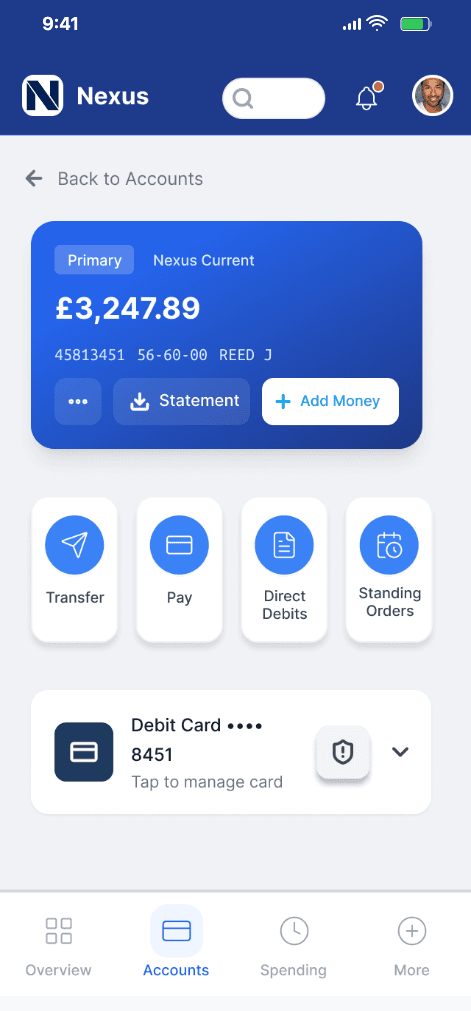
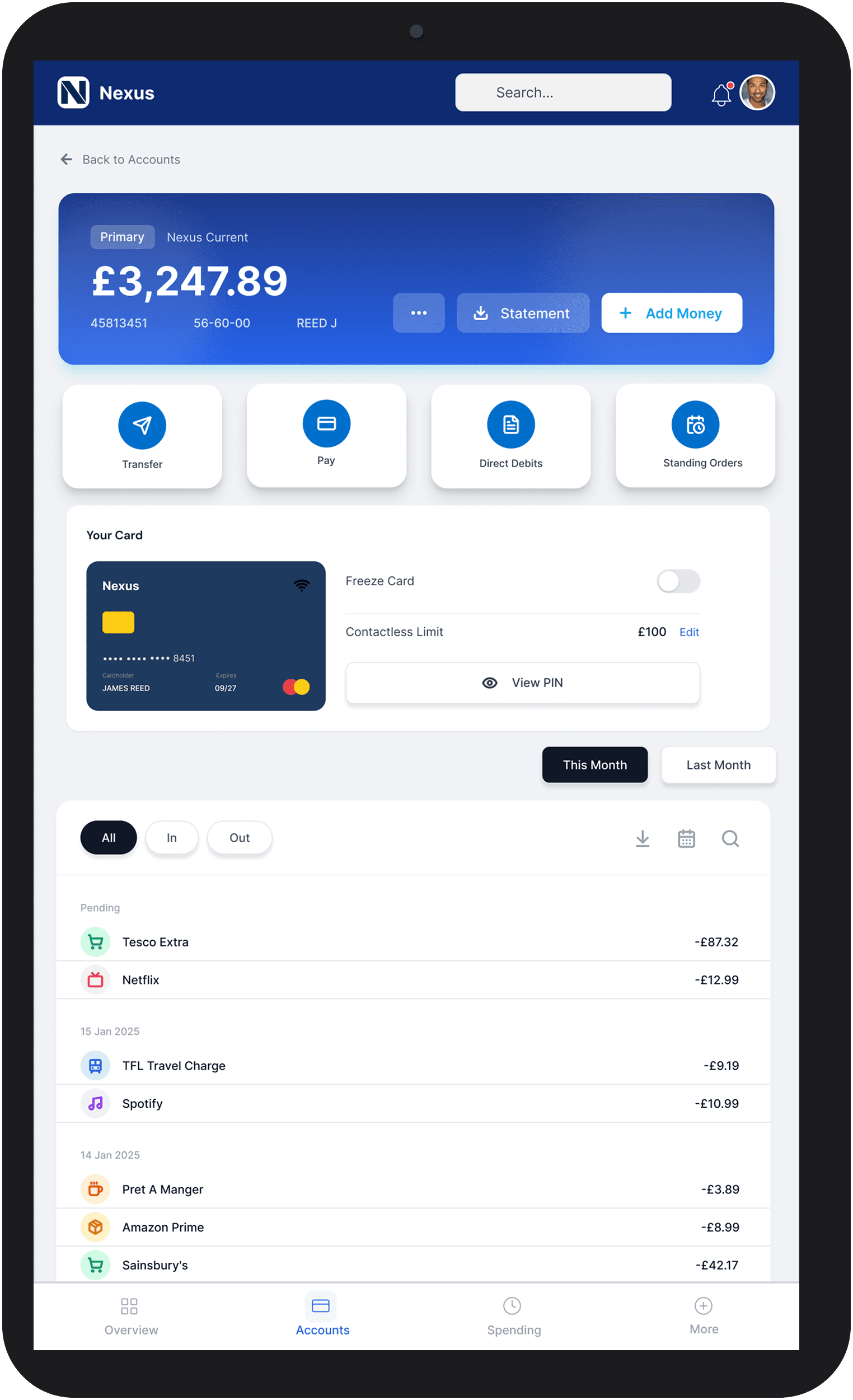
The current account screen supports everyday banking tasks, allowing users to quickly review transactions, manage their card, and take common actions. It provides:
Prominent account summary with balance and account details.
A clear, scannable list of recent transactions.
Clear distinction between incoming and outgoing payments.
Quick access to common actions such as transfer, payments, and statements.
Card management features including contactless limits and security controls.
The layout helps users scan activity easily while maintaining consistency across devices.
Responsive Behaviour
Desktop: Uses a multi-column layout to present transactions alongside supporting tools such as quick actions and card management. This allows users to manage their account and take action without leaving the screen.
Tablet: Prioritises core actions by surfacing them as large, accessible buttons beneath the account summary. Supporting features such as card controls are still visible but stacked vertically to maintain clarity.
Mobile: Focuses on quick interactions. Key actions are presented as prominent touch-friendly buttons, while card management is simplified into a compact, expandable component. Transactions are prioritised in a vertical flow for easy scrolling.

My Spending
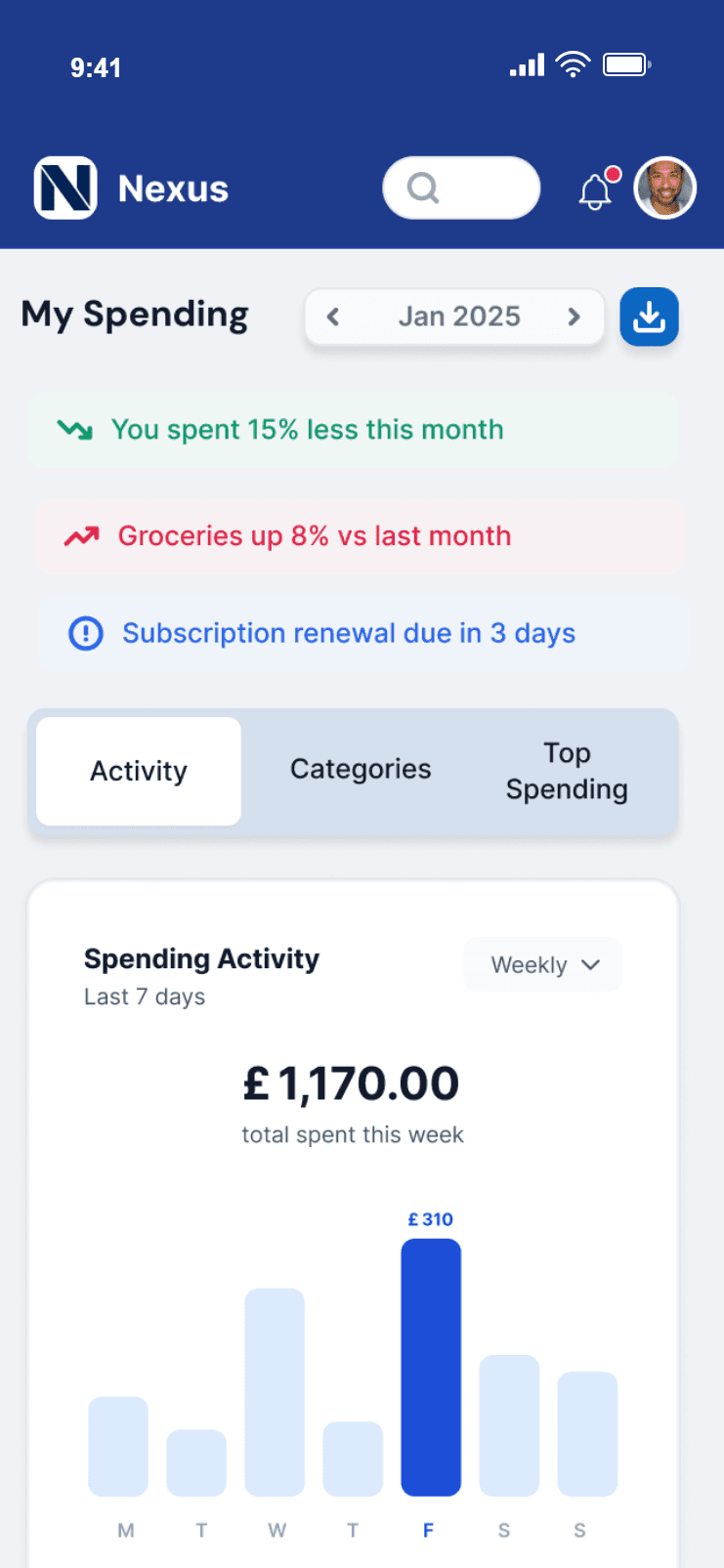
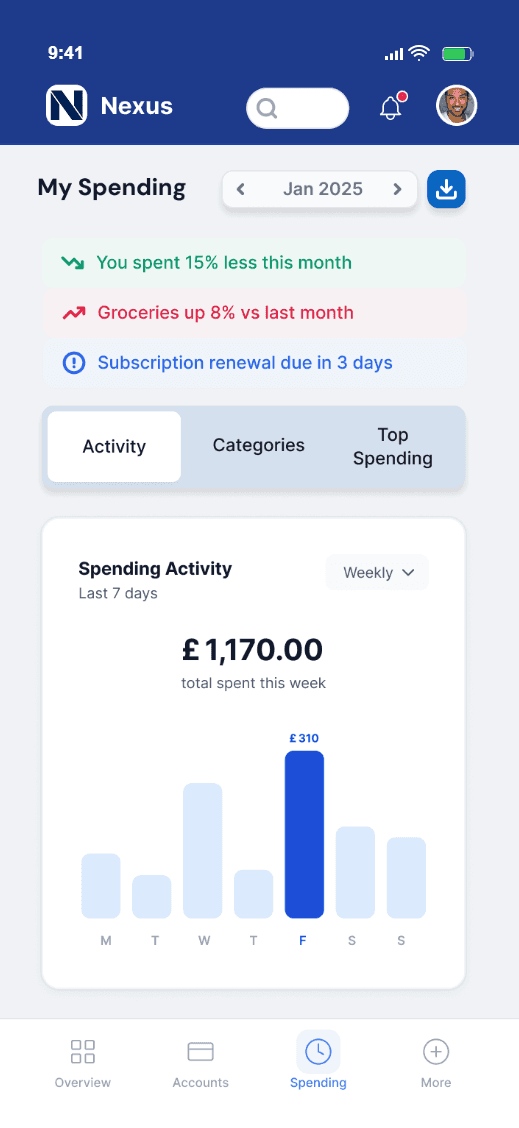
This screen helps users understand their financial behaviour over time. Providing clear insights into spending patterns, categories, and progress towards goals. It provides:
Simple data visualisations
Spending trends and breakdowns
Top spending insights for quick comparison
Savings goals to connect spending behaviour with financial progress
Visualisations are designed to feel friendly and approachable, without overwhelming the user.
Responsive Behaviour
Desktop: Uses a multi-column layout to present multiple data visualisations simultaneously, including activity charts, category breakdowns, and top spending. This allows users to compare insights at a glance and gain a comprehensive overview.
Tablet: Priortises key visualisations while reducing the number of elements shown at once. Content is stacked into a more digestible flow, maintaining clarity while still supporting comparison.
Mobile: Focuses on progressive exploration. Content is organised into tabs (Activity, Categories, Top Spending), allowing users to view one dataset at a time. Insights and summaries are surfaced at the top to provide quick, actionable feedback.


Design Foundations & System
Before developing the final UI, I explored typography, colour, and components to establish a consistent visual direction. These foundations helped guide the design, while remaining flexible as the interface evolved.
Typography
Defined hierarchy across desktop, tablet, and mobile
Ensured readability and consistency

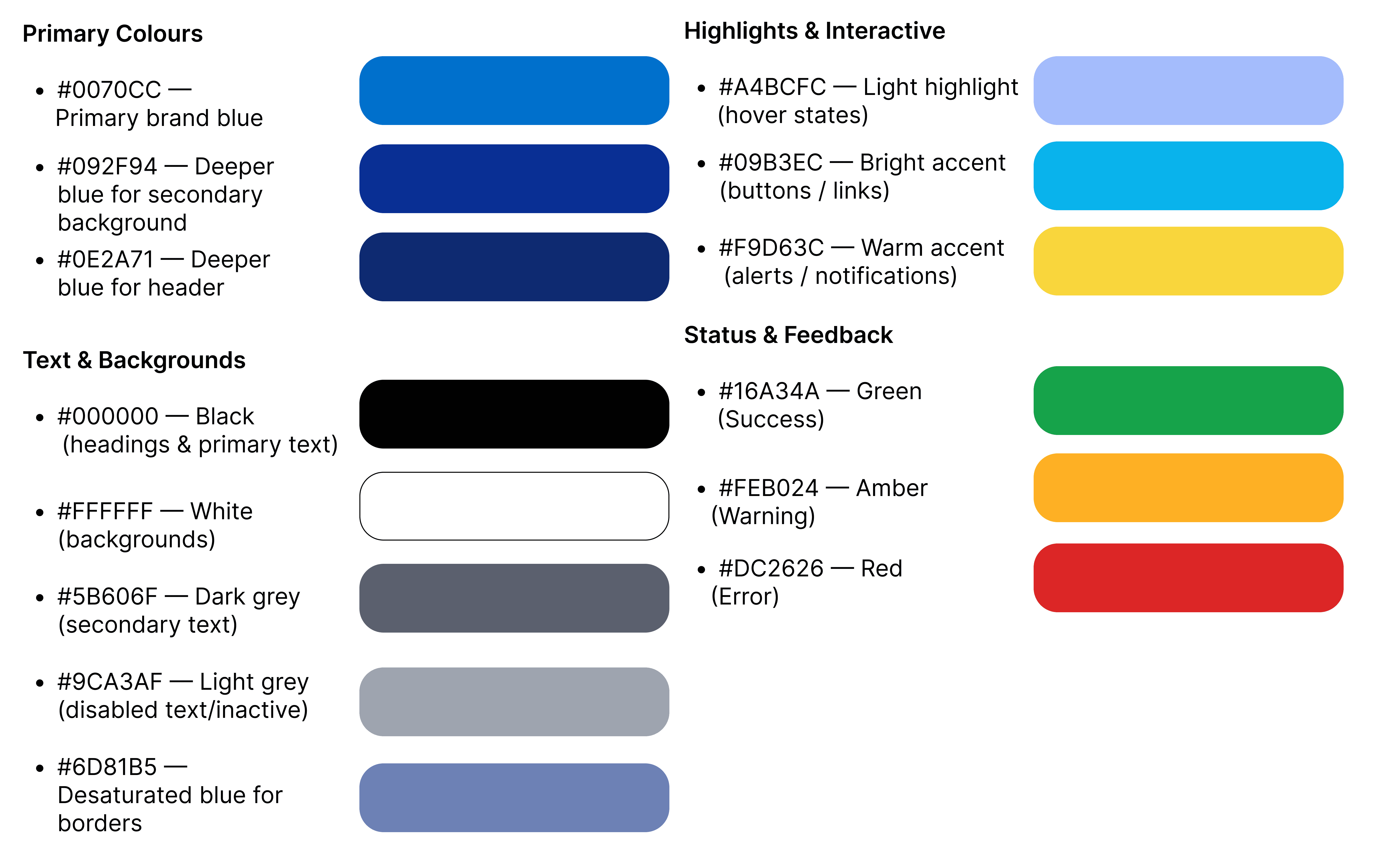
Colour Palette
A restrained colour palette was developed to balance clarity and trust, with accent colours used to highlight key actions and states. The palette evolved slightly during design to better support usability.

Iconography
A consistent icon set was explored to support navigation, actions, and feedback across the interface. Icons were refined during the design process to better align with usability and clarity.

The final result is a cohesive, responsive banking interface that balances clarity, personality, and trust.
This project demonstrates:
Strong understanding of UI design principles
Ability to design responsive systems across multiple breakpoints
Sensitivity to designing for complex and high-trust domains like finance
Reflection
What Worked Well
One of the strongest outcomes of this project was achieving a design that feels genuinely credible as a banking product. The layout, structure, and visual restraint contribute to a clear and trustworthy interface, which was a key goal from the outset.
In financial products, it’s easy to overuse colour or introduce unnecessary visual complexity. I made a deliberate decision to prioritise clarity and professionalism, ensuring the interface feels secure and reliable.
Challenges & Learnings
As the project grew in scale, maintaining consistency across multiple screens became increasingly challenging. Small changes to spacing, typography, or components often required manual updates across the entire system, which was time-consuming and highlighted limitations in how I structured my files.
This experience reinforced the importance of:
Building a more robust component system early on
Designing with scalability in mind
I also experienced how even small design decisions can have wider implications across a product. While this could feel frustrating at times, it ultimately strengthened my understanding of the importance of flexibility when iterating.
Looking Forward
As this was my first time designing for a banking context, I placed strong emphasis on creating a product that felt familiar and trustworthy. I leaned into established banking patterns to ensure usability and credibility.
If revisiting the project, I would explore introducing more moments of personality within the interface, while still maintaining clarity and trust. However, I believe the level of restraint applied here was appropriate, particularly given the expectations users have of financial products.